
- There are multiple options for displaying a quote – Quotes and Pullquotes look best on a secondary page whereas Custom Quote with Author is better for a landing page. Use the provided links to learn more about different Quotes.
Who Can Access
- Contributor
- Editor
- Site/Network Editor
- Site/Network Administrators
- Designers
- Super/Global Administrator
Editor Options:
You may select any text block for the quote itself, though the paragraph block is recommended. You may begin typing to implement the paragraph.
Headings may also be used, but it’s recommended to verify against brand guidelines.
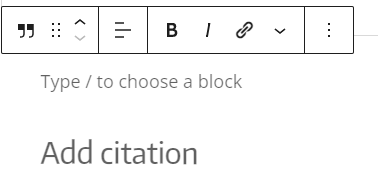
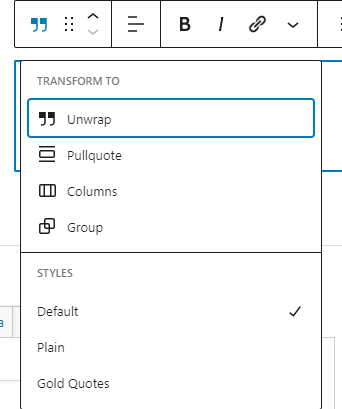
Selecting the block icon will open up the Style Menu, where you can apply Default, Plain, or Gold Quote styling. Examples of each are below.
Front End Display:
Default Quote Style – Words can be like X-rays, if you use them properly—they’ll go through anything. You read and you’re pierced.
Aldous Huxley
Plain Quote Style – Words can be like X-rays, if you use them properly—they’ll go through anything. You read and you’re pierced.
Aldous Huxley
Gold Quote Style – Words can be like X-rays, if you use them properly—they’ll go through anything. You read and you’re pierced.
Aldous Huxley